
Introduction
Most growing businesses do not set out to create confusing systems. It just sort of happens. A tool gets added for sales. Another gets added for scheduling. Someone builds a spreadsheet to “hold us over for now,” which is business-owner language for “this will absolutely become important later.” Then the business grows, more people get involved, and now half the company runs on tabs, inboxes, memory, and vibes.
If that sounds familiar, good news: you are not behind, doomed, or secretly bad at running a company. You are just running into something that a lot of growing businesses run into. As companies grow, their systems change, expand, and slowly become harder to manage. What starts as a few useful tools quietly turns into a maze of apps, spreadsheets, manual workarounds, side processes, duplicate data, and “temporary” fixes that became permanent three years ago.
That is normal.
Most messy systems are not created by one giant bad decision. They are created by many reasonable decisions made one at a time while trying to keep the business moving.
While this may feel intimidating, you do not need to become technical to make better decisions. You do not need to learn how to code. You do not need to pretend you enjoy software demos or suddenly become obsessed with acronyms.
You mostly need enough clarity to:
- Understand where work is slowing down
- Ask better questions
- Recognize when systems are helping or hurting
- Make smarter operational decisions
- Know when it is time to simplify, improve, or ask for help.
Why Technology Feels Confusing as a Business Grows
At the beginning, technology usually feels simple because the business itself is simple. A small company might have a website, email, one spreadsheet, and a couple of software tools. That setup works fine for a while.
Then the business grows.
More customers. More employees. More handoffs. More reporting. More operational complexity.
That is usually the moment when the cracks start showing up.
How Growth Changes Your Technology Needs
| What Changes as the Business Grows | What Usually Starts Happening |
|---|---|
| More customers | Teams need better tracking, follow-up, and visibility |
| More employees | Handoffs become harder to manage consistently |
| More tools | Information starts living in too many places |
| More reporting needs | Data becomes harder to trust or pull together |
| More processes | People rely on memory instead of clear workflows |
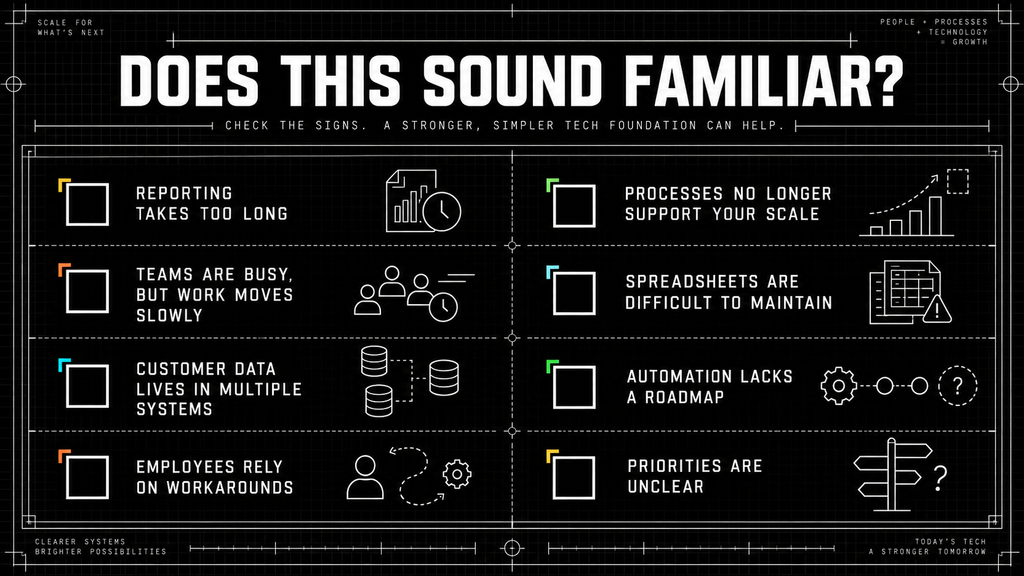
Manual work takes longer than it used to. Information lives in multiple places. Teams build side spreadsheets because they do not trust the system, and reporting becomes harder to pull together. Employees rely on memory instead of processes because nobody fully understands how the systems connect anymore.
The confusing part is that none of those decisions felt wrong when they happened.
- “Let’s add this scheduling tool.”
- “Let’s create a spreadsheet for tracking.”
- “Let’s just handle approvals manually for now.”
Those are normal business decisions. The problem is that businesses rarely stop to redesign their systems as they grow.
They keep stacking new tools and processes on top of old ones until the whole thing starts feeling harder to trust and harder to manage. Eventually, leadership reaches the point where somebody asks:
“Wait… how does this actually work?”
And nobody has a clean answer.
The Basic Building Blocks of Business Technology
Most growing businesses rely on some combination of tools, systems, processes, spreadsheets, websites, CRMs, automations, reporting platforms, and manual workflows.
Those words get used interchangeably sometimes, but they mean different things.
Here is a simple way to think about the basic building blocks.
| Building Block | What It Is | Why It Matters |
|---|---|---|
| Tools | Individual software like a CRM or accounting platform | Help employees complete specific tasks |
| System | Multiple tools and processes working together | Support an entire business function |
| Process | Repeatable steps used to complete work | Create consistency and efficiency |
| Data | Business information moving through your organization | Enables reporting and decision-making |
| Integration | Connections between systems | Reduces duplicate work and manual entry |
Most business owners naturally focus on the tools because tools are the easiest thing to see. You can point to a CRM, a spreadsheet, or a project management platform and say, “That’s the system we use.”
But technology is rarely just about the software itself.
The real value comes from how information, people, and work move through the business.
A great tool inside a messy workflow usually produces messy results faster.
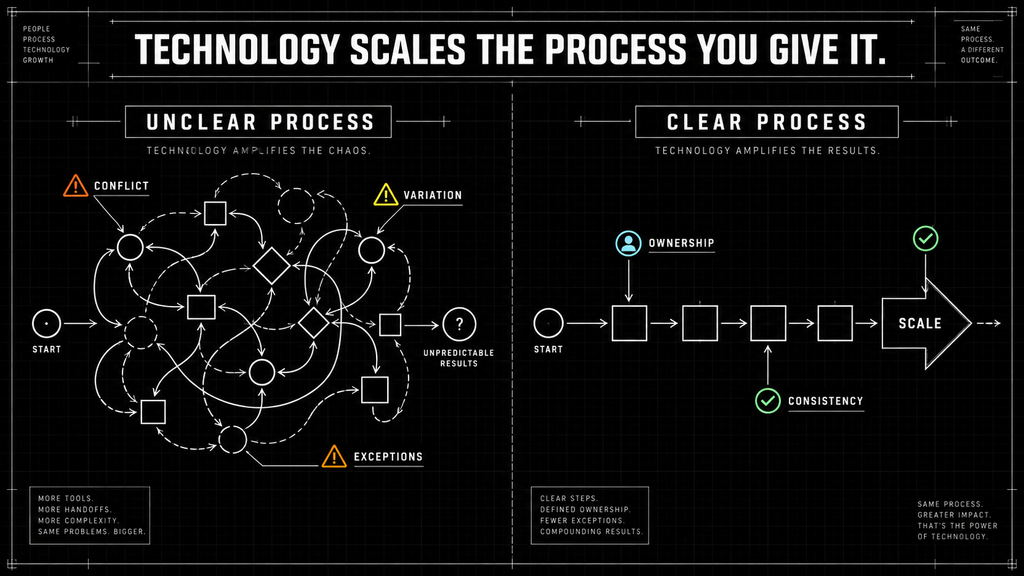
A process is the repeatable set of steps your business follows to complete work. Following up with leads, onboarding customers, approving invoices, processing orders, and delivering projects are all business processes.
This is where many growing businesses get tripped up. When something feels broken, the first instinct is often to look for a new tool.
In reality, technology and processes are connected.
If the process is unclear, inconsistent, or depends heavily on memory, adding more software rarely solves the problem. It usually just moves the confusion into a newer, more expensive system.
Understanding how work actually gets done is often the first step toward making better technology decisions.
Then there is data, which is really just information moving through the business. Customer details, reports, project status updates, inventory numbers, and financial information all fall into this category.
And finally, there are integrations. Integrations allow tools to share information automatically instead of forcing employees to manually copy and paste data between systems all day.
When these pieces work together properly, the business feels smoother. When they do not, people start creating workarounds.
That is usually where the chaos begins.
Understanding the Fundamentals of Technology Concepts
Each article is designed to help business owners understand the major technology concepts that affect growing companies without making the content feel overly technical or complicated.
Explore the Technology Fundamentals
| Topic | What it helps you understand |
|---|---|
| Business tech stacks | Which tools and systems support the business and where complexity has accumulated |
| CRM systems | How leads, customer information, follow-ups, and sales activity are organized |
| Workflow automation | Where repetitive work can happen automatically |
| Integrations | How information moves between tools without duplicate entry |
| No-code tools | When simpler platforms can solve a problem without custom development |
| Custom software | When existing platforms genuinely cannot support the business |
| Business processes | Why the workflow should be clarified before technology is changed |
| Working with a technology partner | What happens before a solution is recommended or built |
One of the first topics we cover is the business tech stack. A tech stack is simply the collection of software, systems, and tools your business uses to operate. Most businesses already have one, whether they realize it or not.
We talk about how stacks grow over time, why they become messy, and how disconnected systems create operational friction.
We will also cover CRMs, which stand for customer relationship management systems. A CRM helps businesses organize leads, customer information, follow-ups, sales activity, and pipeline visibility so important information does not live only in inboxes or someone’s memory.
Another major topic is workflow automation. Workflow automation means using technology to reduce repetitive manual work. That could include:
- Routing approvals
- Updating records automatically
- Assigning tasks
- Generating reports
- Sending follow-up emails
Importantly, automation is not always about AI. A lot of businesses do not need futuristic technology. They simply need fewer employees manually moving information between systems all day.
We will also explain integrations. Integrations connect tools together so information can move automatically instead of forcing teams to duplicate work manually.
Another important concept is the difference between custom software and no-code tools. Some businesses eventually outgrow off-the-shelf systems. Others can solve major operational problems using simpler no-code platforms and automations without building custom software at all. We will also spend time talking about business processes because many technology problems are actually process problems first. If the workflow itself is inconsistent or unclear, adding more software rarely fixes the issue.
And finally, we will talk about how to work with a technology partner, what happens before software projects begin, and how businesses can make smarter technology decisions without becoming technical experts themselves.
How Systems, Tools, and Processes Work Together
A lot of people think technology is mostly about software.
It is not.
Technology is really the combination of people, processes, communication, information, and tools all working together.
A simple way to picture it is:
- People – Do the work, make decisions, and serve customers
- Processes – Define how the work should happen
- Tools – Support the work with software or platforms
- Data – Carries information through the business
- Reporting – Helps leadership understand what is happening
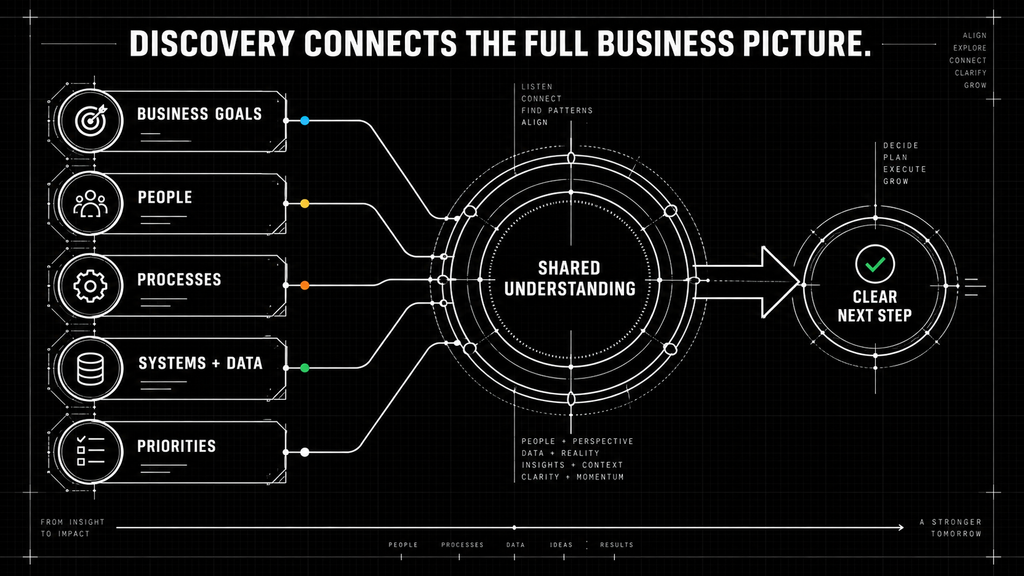
When those pieces line up properly, work feels smooth. Teams know what happens next. Reporting becomes easier. Customers get better experiences. Employees spend less time chasing information.
When those pieces stop working together, friction starts showing up everywhere.
A website collects leads, but sales cannot see them quickly enough. Customer information exists in three systems that all say different things. Operations cannot tell what sales promised. Finance pulls numbers that do not match the reporting. Employees create side spreadsheets because they no longer trust the official systems.
Eventually, the business starts spending more energy managing the system than actually running the business.
That is usually the point where leaders realize they do not just have a software problem.
They have an operational clarity problem.
How to Tell Whether Your Problem Is a Tool Problem, Process Problem, or Visibility Problem
One of the biggest mistakes growing businesses make is trying to solve the wrong problem.
Not every frustrating operational issue means you need new software. Sometimes the software is fine. Sometimes the process is broken. Sometimes, leadership simply cannot clearly see what is happening inside the business.
Those are very different situations.
| Type of Problem | What It Usually Looks Like | What May Need to Happen |
|---|---|---|
| Tool Problem | The software genuinely cannot support the business anymore | Improve, replace, or better connect the tool |
| Process Problem | The workflow is unclear, inconsistent, or dependent on memory | Clarify steps, ownership, and handoffs |
| Visibility Problem | Work is happening, but leadership cannot easily see what is going on | Improve reporting, dashboards, data structure, or source of truth |
Tool problems
A tool problem means the software genuinely cannot support the business anymore. Maybe the CRM no longer fits the sales workflow. Maybe systems do not integrate properly. Maybe employees constantly rely on workarounds because the platform lacks functionality the business actually needs.
In those situations, replacing or improving tools may make sense.
Process Problems
Process problems are different.
Sometimes the software is not the issue at all. The workflow itself is unclear. Teams follow different steps. Ownership is inconsistent. Approvals happen randomly. Customer handoffs break down between departments.
Buying new software rarely fixes unclear operations. That is like buying a new refrigerator because nobody labeled the leftovers.
Visibility Problems
Then there are visibility problems, which are incredibly common in growing businesses.
The work is technically happening. Customers are being served. Revenue is coming in. But leadership cannot clearly see:
- Where bottlenecks exist
- Which reports are accurate
- What work is delayed
- Which team owns what
- How healthy operations actually are.
Visibility problems usually show up as endless status meetings, reporting frustration, teams arguing over numbers, or leadership relying on gut feeling instead of reliable data. That is often the moment businesses start saying:
“We have the information somewhere… we just cannot easily see it.”
That is usually not a people problem.
It is a systems and visibility problem.
Where to Start Before Buying More Software
This is important because a lot of businesses assume the next step is automatically “buy another tool.”
Usually, that is not the best first move.
Before adding more software, it helps to step back and understand what is actually creating friction inside the business.
Start by looking at the flow of work.
Six Questions to Ask Before Adding Another Tool
| Question to Ask | Why It Matters |
|---|---|
| Where does information enter the business? | Helps identify the first point where data is captured |
| Where does work get stuck? | Reveals bottlenecks and approval issues |
| Where do employees manually re-enter information? | Shows where automation or integrations may help |
| Where do handoffs break down? | Highlights process and ownership gaps |
| Where do teams stop trusting the system? | Points to data, reporting, or workflow issues |
| Where should the source of truth live? | Clarifies which system should be trusted first |
Most businesses already have enough clues to identify the problem once they slow down and look at the process clearly.
It also helps to identify where your “source of truth” should live.
Where should customer information actually live? Where should reporting come from? Which system should the team trust first?
If the honest answer is “kind of everywhere,” that is usually a sign the systems have become too fragmented.
Another helpful exercise is mapping your current tools on one page. For every important tool, ask:
- What is this tool supposed to do?
- Who uses it?
- What information lives there?
- What other systems depend on it?
- What is the biggest frustration people have with it?
That simple exercise alone usually reveals where confusion, duplication, and operational friction are hiding.
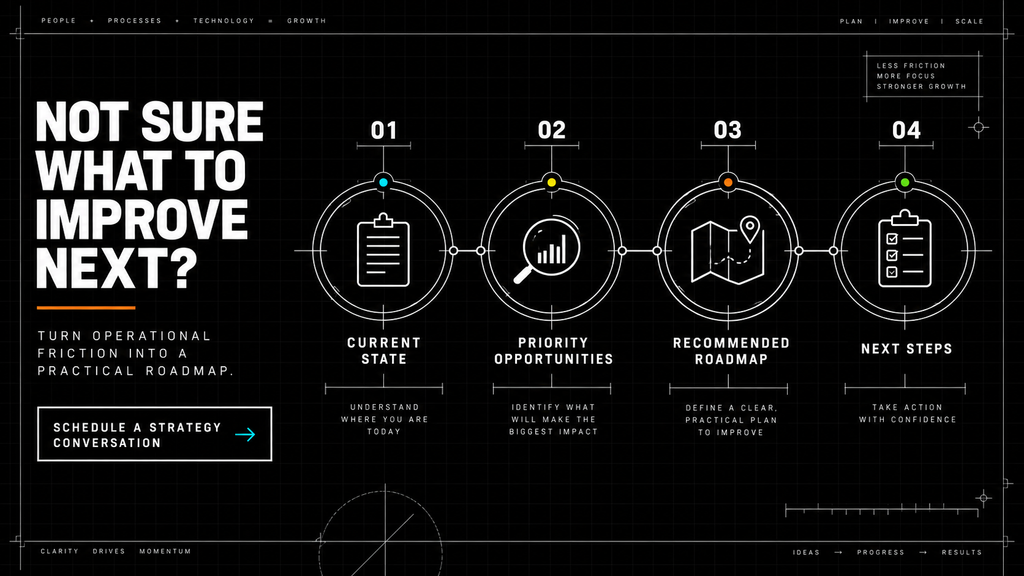
The goal is not perfection. The goal is clarity. Businesses make much better technology decisions once they actually understand the problem they are trying to solve.
What Good Technology Decisions Actually Look Like
Good technology decisions are usually not about buying the fanciest software.
They are usually about understanding the operational problem clearly enough to choose the simplest fix that genuinely improves how the business runs.
Sometimes that means improving a process. Sometimes it means connecting systems together better. Sometimes it means cleaning up, reporting, or reducing duplicate work.
And yes, sometimes it really does mean replacing software.
Good decisions usually start with operational clarity first, not software shopping. Technology works best when it quietly supports the business instead of constantly demanding attention.
When Technology Starts Slowing the Business Down
Technology should reduce friction.
If it creates more friction than it removes, something probably needs attention.
Usually, the warning signs appear slowly.
Signs Your Technology May Be Slowing the Business Down
- Employees manually enter the same information multiple times
- Reports take days to create
- Teams rely heavily on spreadsheets
- Important information lives in multiple systems
- Dashboards stop feeling trustworthy
- Processes only work because certain employees “just know how it works.”
One or two of those issues are normal. All of them at once usually means the business has outgrown its current setup.
That does not automatically mean you need a giant digital transformation project or expensive custom software.
Sometimes the best next step is simply understanding what is actually slowing the business down.
How to Use This Series
You do not need to read these articles in order, like homework. Think of this more like a business technology field guide. If your reporting feels messy, start there. If your systems feel disconnected, read about integrations and tech stacks. If your team spends too much time on repetitive manual work, start with workflow automation.
The goal is not to make you technical.
The goal is to help you lead better conversations, ask smarter questions, and make more confident technology decisions inside your business.
When to ask for help
You probably do not need outside help for every annoying little software issue.
But if your systems are getting harder to trust, harder to explain, or harder to change, that is usually the moment to stop guessing.
The next step is not automatically “buy more software.” It is understanding what is working, what is breaking, and what should come next.
If your technology feels like a junk drawer that somehow runs the whole company, this series is for you. Start with What Is a Business Tech Stack? and keep going from there.